
Maintenance services
Our maintenance system is designed to simplify every step of your service operations.
From scheduling tasks and managing clients to tracking products and monitoring reports — everything you need is organized in one
powerful platform. Manage your team, follow progress, and keep every detail under control with ease.
Maintenance Schedule
Plan, organize, and track all maintenance tasks efficiently. Keep your operations running smoothly with timely reminders and smart scheduling.
My Clients
Manage all your clients in one place. View profiles, track service history, and maintain strong, transparent relationships with every customer.
My Products
Access and manage all your products easily. View details, maintenance history, and performance to ensure complete product tracking.
Visit Schedule Report
Monitor technician visits and service progress in real time. Get a clear overview of completed and upcoming maintenance visits.
Contracts Report
Keep all client contracts organized and up to date. Review active agreements, renewal dates, and contract performance with ease.
Cheques Managment
Track cheque payments and financial records securely. Simplify payment follow-ups and maintain accurate financial documentation.
Maintenance Admin
Control and monitor the full maintenance system. Assign tasks, manage users, and keep your entire workflow under supervision.
Malfunction Report
View and manage employee details, roles, and activity reports. Ensure accountability and smooth communication within your team.

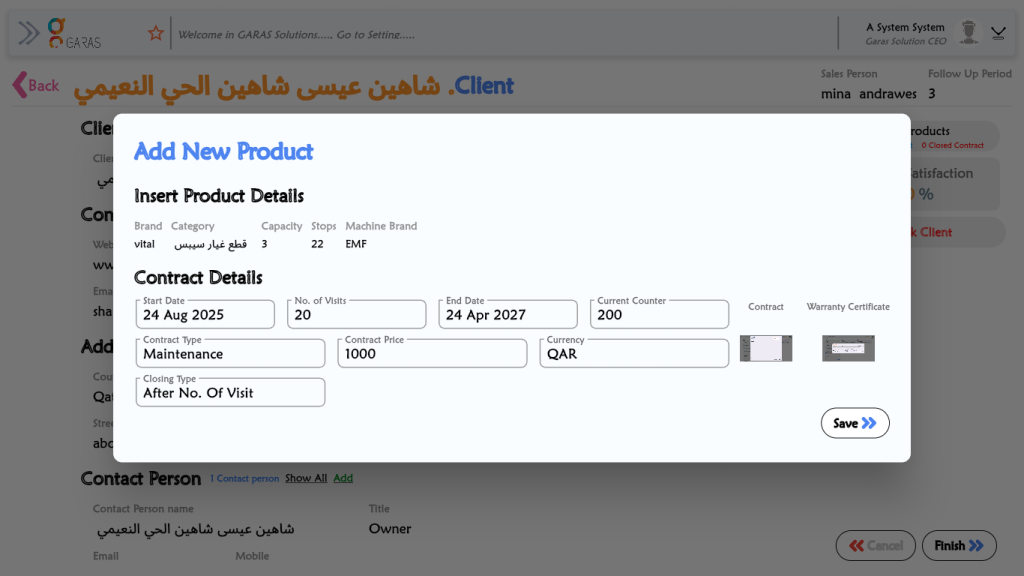
Start with Easy Product Setup
Begin by adding new products to your system with just a few clicks. Our app makes it simple to register every item with its details, ensuring your maintenance data starts clean and organized from day one.
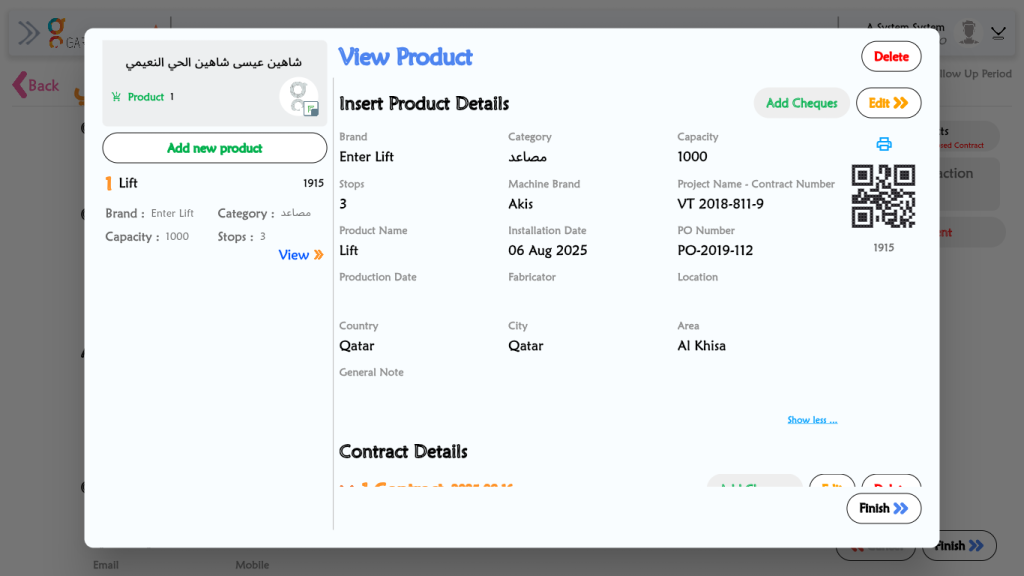

Access Every Product Instantly
View detailed product information in seconds. From specifications to maintenance history, everything is neatly displayed so you can understand each item’s status at a glance.
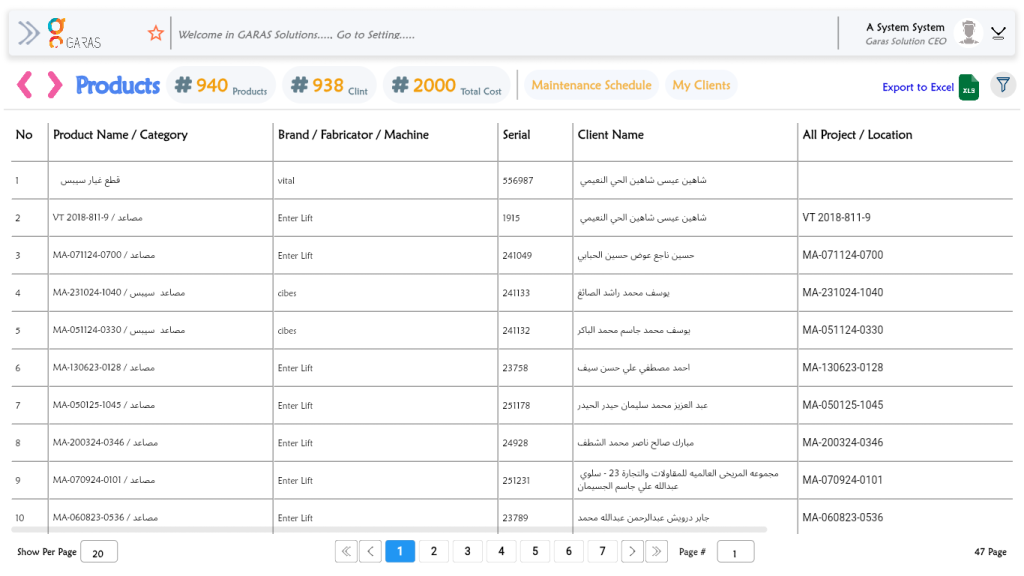
Manage Your Inventory in One Place
Get a complete overview of all your products in one dashboard. Easily search, filter, and sort through your database to keep your inventory organized and your operations efficient.
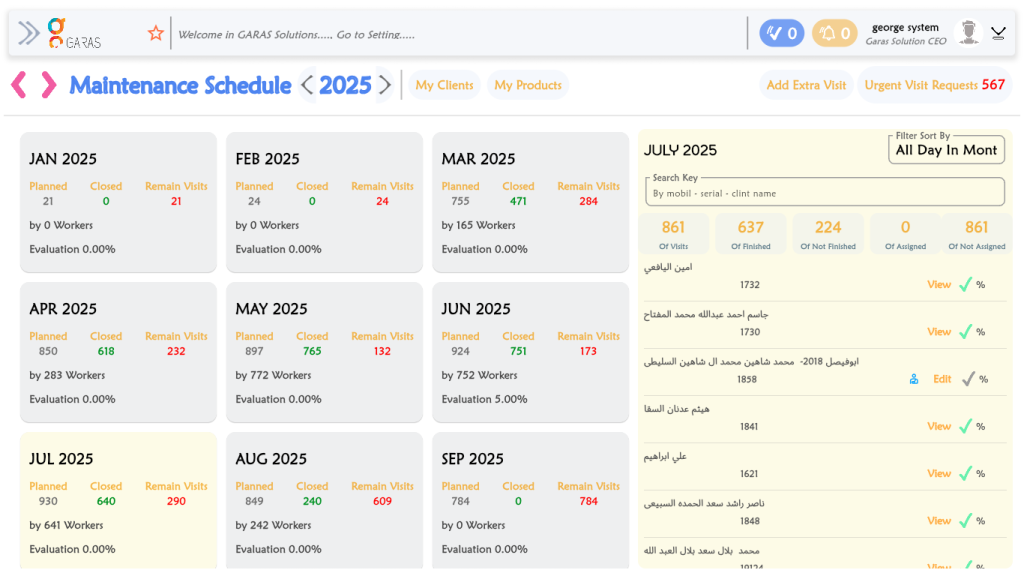
Plan Maintenance the Smart Way
After your products are added, create automatic maintenance schedules that keep your operations running smoothly. No more missed services — stay ahead with timely reminders and efficient task management.
Record and Track Visits in Real Time
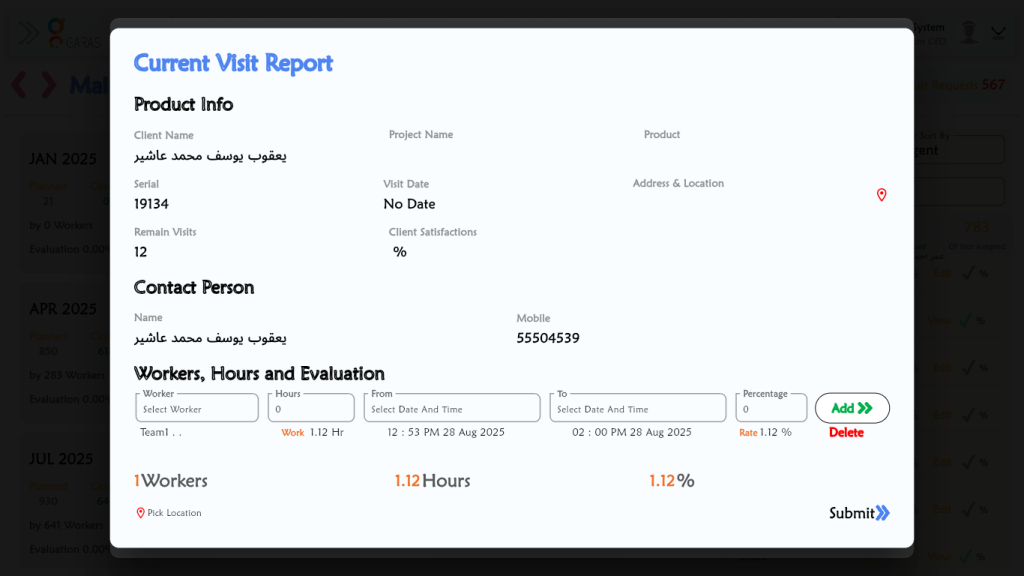
Document every maintenance visit as it happens. Technicians can submit detailed reports, add images, and note actions taken — providing real-time updates for accurate monitoring.
Gain Instant Client Confirmation
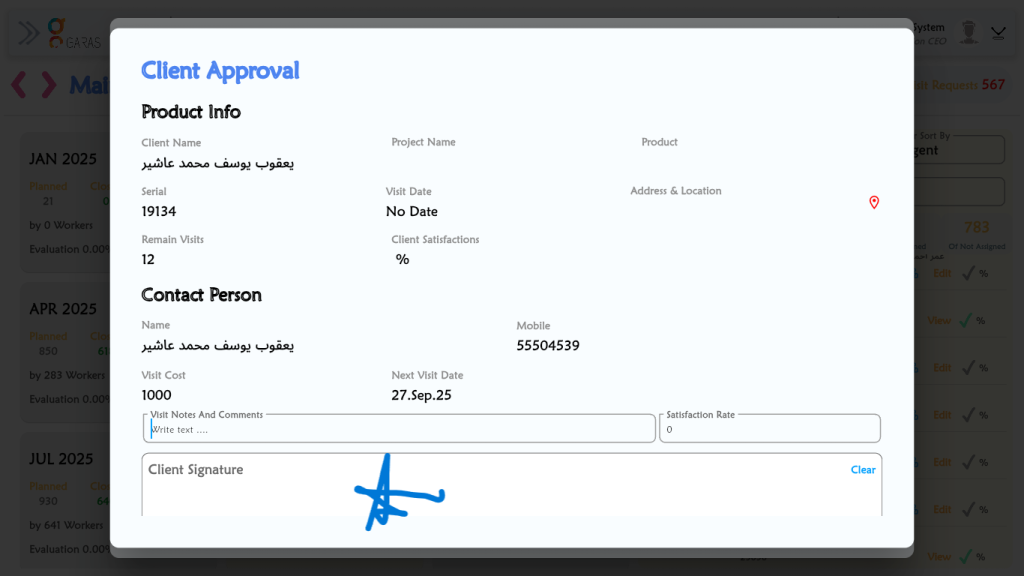
After completing a service, clients can review and approve the report directly from the app. This ensures trust, transparency, and faster sign-off for every maintenance task.
Diagnose and Resolve Issues Effectively
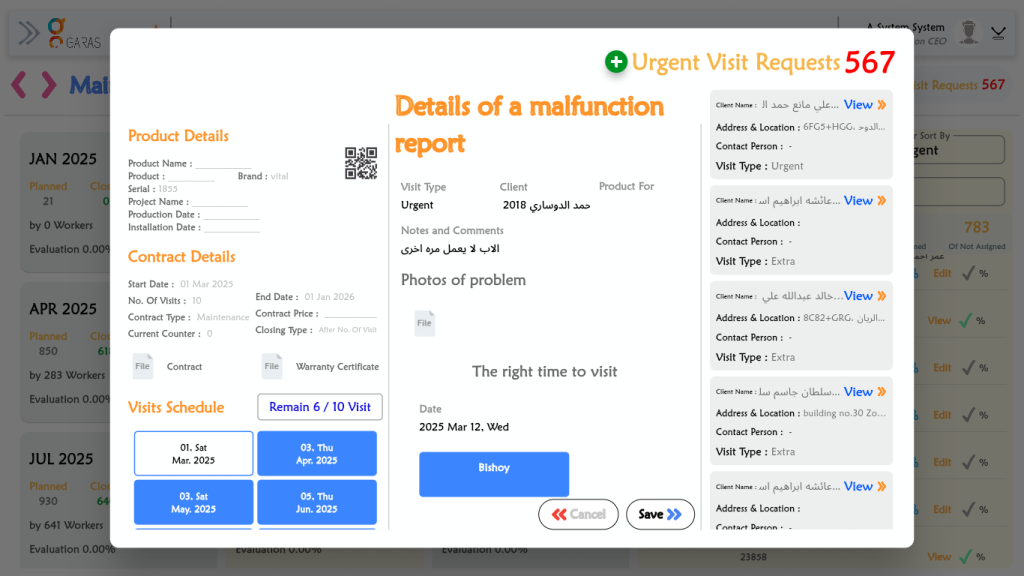
View detailed malfunction reports that highlight the cause, severity, and solution for every issue. This helps your team identify problems quickly, assign repairs, and prevent future breakdowns.
Unlock all features
Choose the plan that best supports your maintenance operations. Whether you’re managing routine schedules, client reports, or a full service team, our pricing options are built to help you deliver reliable results and keep every task running smoothly.
Monthly
Starter plan-
All features access
-
Unlimited storage
-
All device access
-
Premium support
-
API access
Yearly
Most popular plan-
All features access
-
Unlimited storage
-
All device access
-
Premium support
-
API access
Lifetime
For company & agencies-
All features access
-
Unlimited storage
-
All device access
-
Premium support
-
API access
Your Maintenance System in Your Pocket
Download now on Android or iOS and manage everything — from tasks to clients — with ease and flexibility, wherever your work takes you.



F.A.Qs
1. How can I schedule and manage maintenance tasks?
You can easily plan and track all maintenance activities using the Maintenance Schedule feature. It helps you set reminders, assign technicians, and ensure every service is completed on time.
2. Can I manage multiple clients in the system?
Yes, the My Clients section allows you to add, edit, and view all your clients in one place. You can track their service history, contracts, and communication effortlessly.
3. How do I keep track of all my products?
Through the My Products feature, you can view detailed information about every product — including specifications, maintenance records, and performance reports.
4. What is included in the Visit Schedule Report?
The Visit Schedule Report provides a detailed view of all technician visits — including completed, ongoing, and upcoming maintenance visits — to help you monitor daily operations efficiently.
5. How can I review or track client contracts?
The Contracts Report keeps all agreements organized. You can view contract details, track renewal dates, and review performance or completion status in one dashboard.
6. Is there a way to manage cheque payments and financial records?
Yes, the Cheques Management feature lets you record, monitor, and follow up on all cheque transactions securely, helping you maintain accurate financial data.
7. Can admins and employees have separate profiles?
Absolutely. The Maintenance Admin and Employee Profile sections allow each user to have their own account with role-based permissions, making it easy to manage tasks, access levels, and performance tracking.